
Lekro vs MENU TIGER: Which Digital Menu Platform Is Right for Your Restaurant?
An honest, up-to-date comparison of Lekro and MENU TIGER — pricing, free plans, AI menu setup, websites, ordering, and reservations — so you can pick the right QR menu platform for your restaurant.
Lekro vs MENU TIGER: Which Digital Menu Platform Is Right for Your Restaurant?
If you’ve been shopping for a QR code menu, you’ve almost certainly run into MENU TIGER. It’s a well-known, capable platform, and plenty of restaurants run on it happily. We make Lekro, so we’re obviously not a neutral party here — but we also know that a comparison that just trashes the competition is useless to you. So this is the honest version: where each tool is genuinely strong, where they differ, and how to tell which one fits your restaurant.
Short version up front: MENU TIGER is an operations-focused QR-ordering system that shines for multi-location dine-in. Lekro is an AI-built, all-in-one restaurant presence — your menu, website, ordering, and reservations — with a free plan that’s unusually generous and first-class Arabic support. If those sound like different things, that’s because they mostly are. Let’s get into it.
The 30-second overview
Both platforms let a guest scan a QR code, open a mobile menu, and order from their phone with no commission per order. Both have a website builder, both support multiple languages, and both have moved into table management. The differences are in how you build your menu, how complete the website is, what the free plan actually gives you, and what you pay.
Side-by-side comparison
| Lekro | MENU TIGER | |
|---|---|---|
| Starting price | Free, paid from $9.99/mo | Free, paid from ~$17/mo |
| Free plan | Full 2-page site, QR menu, ordering, reservations, reviews — no branding | Limited free tier |
| AI menu setup (photo/PDF → editable menu) | ✓ Menu Digitizer reads it and builds it | ✕ Manual entry (can upload a view-only PDF) |
| AI descriptions & dish photos | ✓ Auto-write descriptions, AI image fill, stock library | ✕ |
| Website | ✓ Multi-page builder, sections, gallery, team, story | ✓ Simple restaurant page |
| Custom domain | ✓ From Premium | Hosted subdomain |
| Commission-free ordering | ✓ | ✓ |
| Reservations / table management | ✓ On every plan | ✓ (added 2026) |
| Kitchen Display System (KDS) | Order dashboard + waiter calls | ✓ Dedicated KDS |
| Multi-location | ✓ Up to 10 branches (Pro) | ✓ Up to 4 stores |
| Languages | 1 (Free) → unlimited (Pro) | Multi-language menu |
| Arabic / RTL + regional pricing | ✓ Built-in (EN/AR, local currency) | Limited |
Competitor details reflect MENU TIGER’s publicly listed information as of June 2026 — pricing and features change, so check menutiger.com for the latest before deciding.
Where Lekro pulls ahead
1. You don’t type your menu — the AI reads it
This is the big one. With most QR menu tools, MENU TIGER included, getting started means sitting down and typing every category, dish, price, and description by hand. MENU TIGER lets you upload a PDF, but it’s a view-only document — a picture of a menu, not an editable one you can restyle, translate, or reorder.
Lekro’s Menu Digitizer does the opposite: you photograph your printed menu (or drop in a PDF) and the AI reads it into real, editable categories and items — names, prices, the lot — in a few seconds. You review it and apply it. For a restaurant with a forty-item menu, that’s the difference between an evening of data entry and a coffee break.
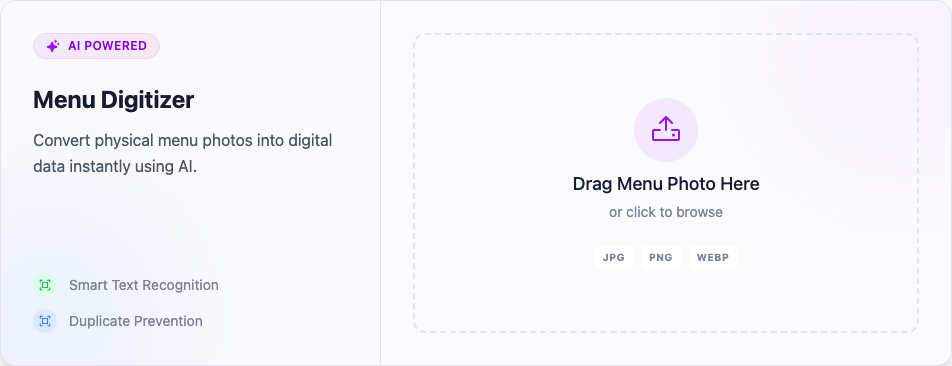
The AI doesn’t stop at import, either: it writes dish descriptions, fills in photos from a stock library, and translates your whole menu into a second language on command. MENU TIGER keeps menu building manual.
2. The free plan is a real free plan
A lot of “free” restaurant tools are really demos with your customers staring at the vendor’s logo. Lekro’s Free plan is meant to actually open a restaurant on: a two-page website with your QR digital menu, online ordering, reservations, reviews, a gallery, and a waiter-call button — with no Lekro branding on your site. MENU TIGER has a free tier too, but it’s limited, and the features most restaurants want sit behind paid plans that start around $17/month.
So if budget is tight, Lekro lets you launch properly for free and only pay ($9.99/mo Premium) when you outgrow the limits — custom domain, more menu items, a second language.
3. It’s a website, not just a menu page
MENU TIGER gives you a clean, simple restaurant page. Lekro gives you a proper site: multiple pages built from drag-and-drop sections, a photo gallery, a team page, your story, reviews, a contact form, and a newsletter — all on your own custom domain (Premium and up). For restaurants that want their website to be their online home, not just a menu behind a QR code, that’s a meaningful gap.
4. Arabic and the region are first-class, not an afterthought
If you operate in the MENA region, this matters. Lekro is fully bilingual with proper right-to-left Arabic, and pricing is localized to your currency (for example, Premium is EGP 499/month in Egypt rather than a dollar figure you have to convert and get taxed on). MENU TIGER supports multiple menu languages, but it isn’t built around an Arabic-first, regional experience the way Lekro is.
See your menu go digital in minutes
Upload a photo or PDF of your printed menu and let Lekro’s AI build your QR code menu, website, and ordering — free to start.
Where MENU TIGER might be the better call
Being honest cuts both ways. MENU TIGER is genuinely good at what it’s built for, and there are restaurants it suits better than Lekro:
- You run a multi-location dine-in operation and live in the kitchen. MENU TIGER’s dedicated Kitchen Display System, table-turnover tracking, and per-store table/QR management are mature and operations-first. If throughput on the floor is your daily obsession, that tooling is a real strength.
- You only want a menu and order flow, nothing else. If you have no interest in a fuller website, reviews, or marketing pages, MENU TIGER’s tighter focus can feel simpler.
- You’re already invested in their ecosystem. If your QR codes, hardware, and staff workflows are built around MENU TIGER, that switching cost is real and worth weighing.
We’d rather you choose the tool that fits than churn out of one that doesn’t.
How to decide
Strip away the feature lists and it comes down to a few honest questions:
- Do you already have a printed menu you don’t want to retype? Lekro’s AI import is the fastest path, full stop.
- Do you want a real website and brand presence, or just a menu page? Lekro for the former; MENU TIGER is fine for the latter.
- Is a generous free start important? Lekro’s free plan goes further before you pay.
- Are you a multi-location operation focused on kitchen and floor throughput? MENU TIGER’s operations tooling is a genuine strength.
- Do you need proper Arabic / regional pricing? That’s squarely Lekro’s territory.
There’s no universal winner here — there’s the one that fits how you run your restaurant. If that turns out to be Lekro, the nice part is you can find out for free in about the time this article took to read: upload a photo of your menu, watch the AI build it, and see your QR code menu live the same afternoon.
Tags