
Understanding Subscription Plans
Compare Free, Premium, and Pro to pick the right fit, and manage billing in one place.
Dashboard only
Lekro has three plans, and the good news is the Free one is genuinely generous: a real website, a QR menu, online ordering, reservations, and reviews. Every feature is on from day one, the paid plans don’t unlock features so much as lift the limits as you grow: more menu items, more pages, more languages, more staff logins, and your own custom domain.
Where billing lives
Go to Settings → Subscription & Billing. The page opens with your current plan front and centre.
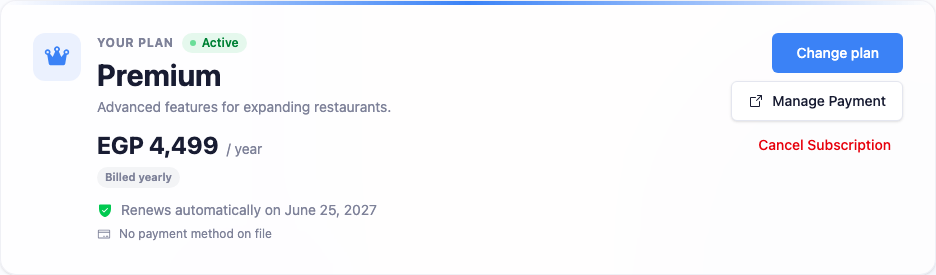
For a paid plan this panel also shows your renewal date, billing interval, and the card on file. Below it, the Compare plans grid lays the tiers side by side with a monthly / yearly toggle: yearly is the cheaper way to pay.
What each plan includes
Every plan has the same features switched on. What changes are the ceilings:
Free, everything you need to open:
- A 2-page website with your digital QR menu
- Up to 50 menu items, in 1 language
- Up to 3 staff logins
- Online ordering, reservations, and waiter call
- Reviews, gallery, contact form, and newsletter
Premium: everything in Free, with room to grow:
- A 5-page website
- Up to 150 menu items, in 2 languages
- Up to 10 staff logins
- Your own custom domain
- Higher monthly AI quotas
Pro: everything in Premium, with the ceilings removed:
- Unlimited pages, menu items, and languages
- Up to 30 staff logins
- The highest monthly AI quotas
- A free
.comor.netdomain on yearly plans
Note: Prices show in your local currency on the Compare plans grid. That page is the source of truth for your region. Premium and Pro are billed monthly or yearly, and yearly is the cheaper way to pay. Every account can run up to five restaurants regardless of plan; see Creating an Additional Restaurant.
Upgrading, changing, or cancelling
- Upgrade Plan / Change plan opens a secure checkout, or (if you’re already paying) a preview of the prorated difference before you confirm.
- Manage Payment opens the billing portal to update your card or download invoices.
- Cancel Subscription keeps your paid features until the end of the period you’ve already paid for, then drops you to Free. It never cuts you off mid-cycle.
When you change between paid plans mid-cycle, the cost is prorated: upgrades charge only the difference for the time remaining, and downgrades take effect at your next renewal, so you keep what you paid for until then.
Picking the right plan
- Just opening, or a single location? Free covers a lot. Start there and upgrade when you bump into a limit.
- Growing past 50 items, or want a custom domain? Premium is the natural step up.
- A full menu in several languages, or a bigger team? Pro removes the caps entirely.
You’re never locked in. Move up or down whenever your needs change, and the billing always settles fairly.