
Auto-Filling Images with AI
Match a stock photo to every dish that's missing one in a single run, and understand what the monthly run limit actually counts.
Dashboard only
Auto-Fill Images works through your whole menu, finds the closest match in the stock library for every dish that has no picture, and assigns it. Dishes that already have a photo are left alone.
Running it
The Auto-Fill Images button sits in the Menu Editor toolbar. Clicking it opens a confirmation window, nothing changes until you confirm.
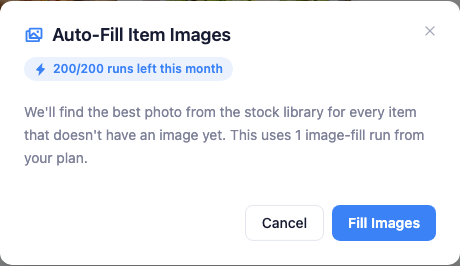
There’s nothing to configure. Click Fill Images and Lekro reports how many dishes it covered when it finishes. Your menu refreshes in place.
One click is one run, regardless of size
This is the part that catches people out. The monthly allowance counts runs, not images. Filling 3 dishes and filling 80 dishes both cost exactly one run.
| Plan | Auto-fill runs per month |
|---|---|
| Free | 20 |
| Premium | 200 |
| Pro | 999 |
The practical advice follows directly: add a batch of dishes, then run it once. Running it after every dish you add burns the allowance for no benefit.
What the result tells you
The summary is more informative than a simple success message:
- Filled N items: the straightforward case.
- Filled N, M still need a manual pick: some dishes had no good match. Those are the ones to handle by hand.
- Every item already has an image: nothing to do, and you’re told before a run is spent.
Skim the results afterwards. Matching is automatic, so a dish with an unusual or invented name may land on something generic. Swap any of those by opening the dish and choosing a different stock photo.
Note: Auto-fill only touches empty slots. Photos you’ve chosen yourself are never overwritten, so you can run it safely on a menu you’ve already partly illustrated.