
Writing Item Details with AI
Draft a dish description, story, ingredients, origin, prep time, and calories from the name alone, and what each generation costs.
Dashboard only
Writing an appetising line for every dish, then listing ingredients, prep time, and calories on top, is the part of menu building most people postpone. Lekro’s item editor drafts all of it from the dish name, so you’re editing rather than staring at an empty field.
The description
The description field has a ✨ button beside it. Give the dish a name first, then click it.
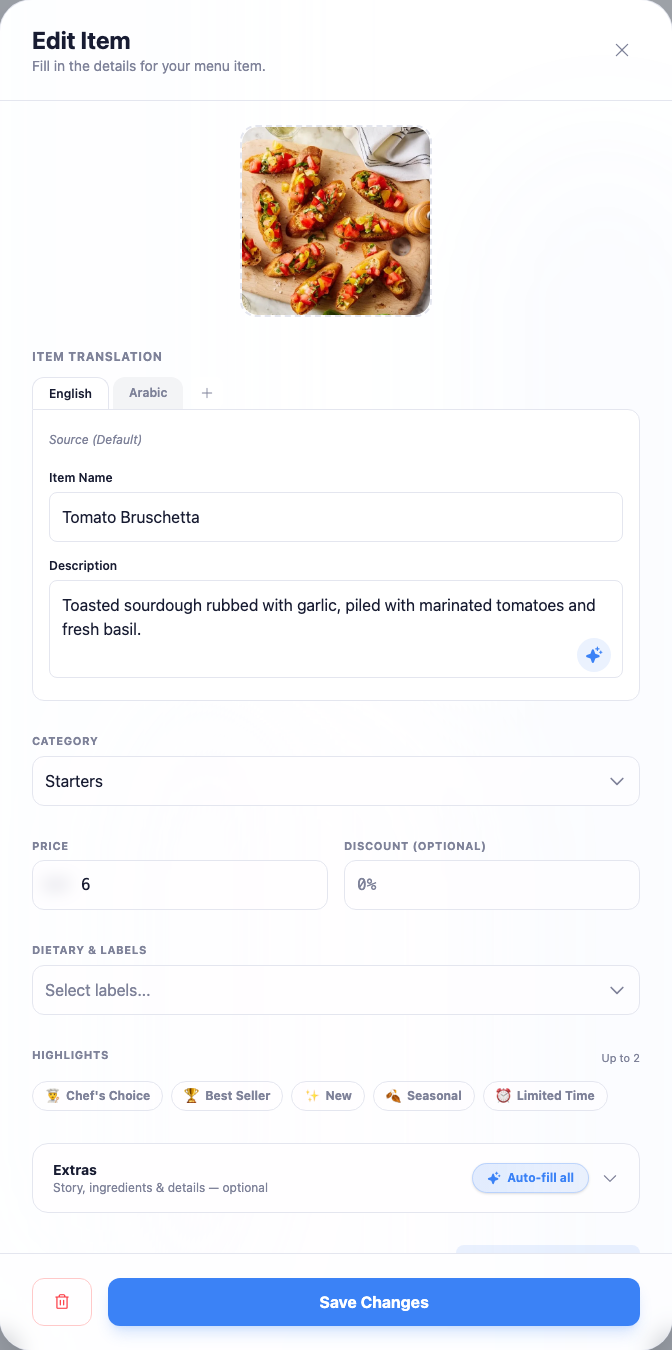
The name matters more than anything else here: it’s essentially all the AI has to work from. “Grilled Chicken” produces something generic. “Charcoal-Grilled Chicken with Sumac and Garlic Toum” produces something worth editing.
The Extras section
Further down, a collapsed Extras section holds the optional details shown on the dish’s page: a longer Story, Ingredients, Origin, Prep time, and Calories. Each has its own generate button.
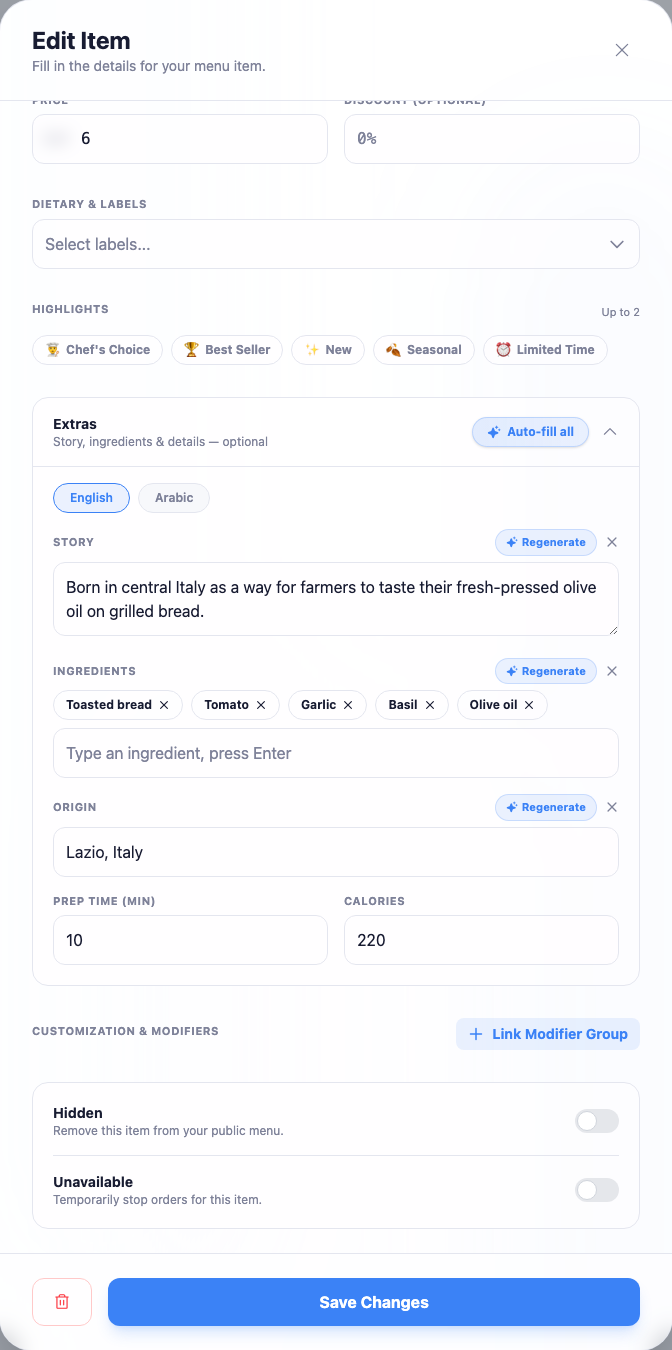
Auto-fill all fills every empty field in one click. It only writes into blanks, so anything you’ve typed yourself is safe. If one field comes back wrong, its button becomes Regenerate and re-rolls just that field without touching the others.
Generating in more than one language
With several languages on your restaurant, the editor asks which ones to write before generating.
Note: Each language is generated separately and costs separately. Ticking three languages costs three times what one costs. Generate the language you’ll actually proofread first, and add the others once the wording is settled.
The default language is written first, which keeps ingredient lists in a consistent order across languages.
If you’ve already written good text by hand and want it in another language, generating fresh is the wrong tool: translating your menu carries your wording across instead of inventing new wording.
What it costs
AI writing draws on a monthly allowance, separate from your translation credits:
| Plan | AI descriptions per month |
|---|---|
| Free | 50 |
| Premium | 500 |
| Pro | 2,000 |
The allowance resets each month, and nothing is charged unless you press a generate button.
Read it before saving
Two habits make this reliable: name the dish properly before generating, and read every result before saving. The output is fast and usually good, but it will occasionally invent a confident detail that simply isn’t true of your dish. Calories and ingredients deserve a real check, customers with allergies or dietary requirements may be making decisions on them.